
CNN
CNNNews & Magazines
3.2175.00 Reviews
- Version
- 26.7.1
- Installs
- 500.00K
- Age Rating
- Everyone 10+
Screenshots
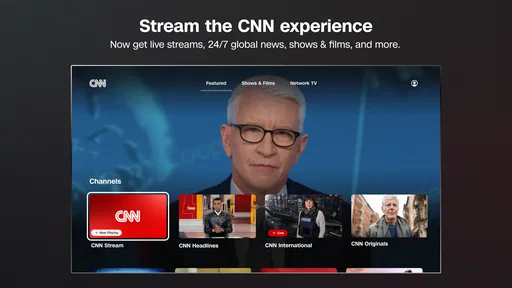
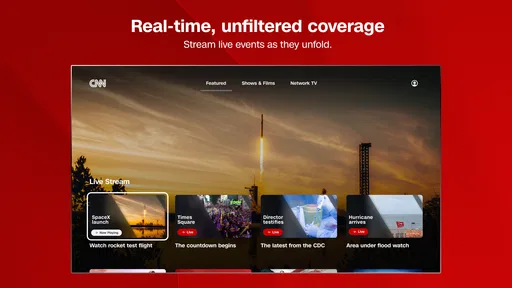
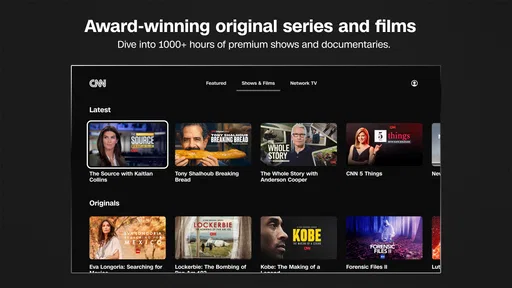
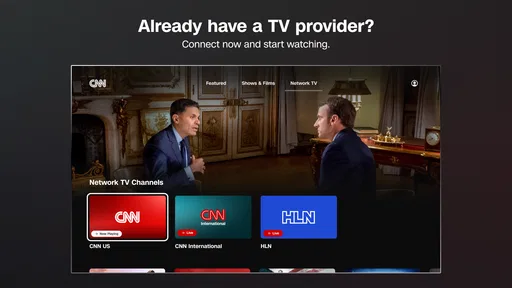
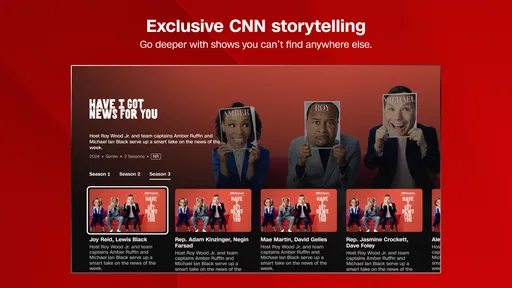
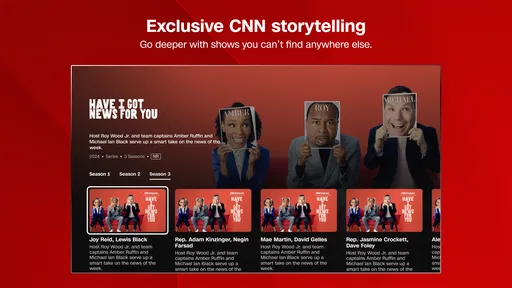
Our Review of CNN
 Analysis by Appyee
I use the CNN app as a quick way to check what is happening and to switch between reading and watching when a story catches my attention. It is a free news app from CNN, and its focus on the company’s news coverage makes it most useful when I want a familiar source rather than a broad directory of publishers. The app is rated for Everyone 10+, and I’d consider it for readers who want timely headlines, with the understanding that a single outlet cannot provide every perspective.
The User Experience
First off, the CNN app is super easy to navigate. You know how some news apps can feel like a maze with a million tabs and options? Not this one. It’s got a clean and straightforward layout that makes it pretty intuitive. From the moment you open it, everything just makes sense. You have your top stories right on the main screen, and if you’re looking for something specific, the search feature is just a tap away.
One thing I appreciate is the customizable alerts. You can tailor the notifications to get updates on what truly matters to you, whether it’s politics, health, or entertainment. It’s like having a personal news assistant. And let’s be honest, who doesn’t want to feel a little special?
Making Alerts Useful Instead of Noisy
Alerts are most helpful when they support a routine, not when they interrupt every quiet moment. I’d start with only the subjects I genuinely follow, then adjust if the notifications feel too frequent. For a busy day, an alert can flag a developing story so I can decide whether to open the app now or save it for later. If I’m trying to limit interruptions, I’d rely on a deliberate check-in instead of enabling every topic.
That distinction matters because breaking news is not always the same as news I need immediately. A headline notification is a prompt to learn more, not a complete account of an event. I find it better to open the related coverage when I have time to read context, especially for complicated stories that may change as more information becomes available.
Content Variety
Now, onto the content itself. CNN has always been a go-to for many when it comes to reliable news, and the app doesn’t disappoint. You’ve got a wide range of topics covered, from breaking news to in-depth analysis. There’s also a decent balance between text articles and video content, which is great for those moments when you’d rather watch than read.
For those who are into podcasts, the app also has a selection of audio content. I found myself tuning into a few episodes during my morning commute, and it was a nice way to digest the news without being glued to a screen.
Choosing the Right Format for the Moment
The useful trick is to match the format to what you’re doing. I’d read an article when I want to pause, scan details, or revisit a passage; video suits a moment when I can give the screen my attention; audio is more convenient when I’m walking or doing a routine task. That does not make audio a substitute for every article, but it gives the app a role beyond quick headline checks.
For example, I might check the main screen over breakfast, open one story that affects the day’s conversation, and save a longer piece for a quieter moment. On a commute, audio can make news easier to fit in, though I would avoid relying on it when I need to notice my surroundings. This kind of small workflow helps keep news consumption intentional instead of letting one headline turn into an endless scroll.
Performance and Features
Performance-wise, the app runs smoothly. I didn’t encounter any annoying crashes or lags, which is always a plus. It’s lightweight, so it doesn’t hog your phone’s resources. And yes, it’s available on both Android and iOS, so everyone’s covered.
One feature I found handy is the offline reading option. You can save articles to read later, which is perfect for when you’re out of Wi-Fi range or just trying to conserve data. It’s little touches like these that make the app user-friendly.
A Practical Reading Routine
Saving an article is especially useful when a headline appears at an inconvenient time: I can keep it for a train ride, a break, or a period without a reliable connection, rather than trying to finish it in a rush. I’d treat saved pieces as a short reading queue and clear them as I go. That keeps the feature useful without turning it into a pile of links I never return to.
If I expect to be offline, I would save the specific articles I want while connected rather than assume every part of the app will be available. This is a simple habit, but it makes the difference between having something ready to read and discovering later that I did not prepare. It also makes the app more practical for travel or patchy reception, even if it is not a full replacement for a dedicated offline reading service.
The app’s current version is 4.2.0, and it has been available since September 13, 2016. Those details tell me it is an established product with a current version, but they do not by themselves prove that every experience has changed or improved. For an existing user, the practical question is whether the present mix of alerts, articles, video, and audio fits their habits; I would judge it by that day-to-day usefulness rather than assume a version number guarantees a particular upgrade.
Visual Appeal
Visually, the app is quite appealing. The colors are easy on the eyes, and the text is big enough for comfortable reading. It’s not cluttered with ads, which is a relief. The media content, like photos and videos, are of high quality, and they load quickly, keeping the browsing experience smooth.
There’s also a night mode feature, which is a blessing for those late-night news binges. It’s easier on the eyes and helps save battery life too.
How It Fits Among News Apps
Compared with an aggregator that gathers headlines from many publishers, this app is a more direct route into CNN’s reporting and presentation. That focus can be a strength when I want to follow the outlet’s coverage in one place. It is also a limitation if I want competing interpretations side by side: for that, I would use a multi-source news reader or visit other publishers as well.
Likewise, someone who mainly wants a customized stream across local papers, specialist sites, and international outlets may be better served by an aggregator. Someone who prefers television-style coverage or audio from CNN may find the app more convenient than checking separate formats elsewhere. I would use it as one part of an informed routine, not as my only source for every major story.
CNN is developed by CNN and has more than 500,000 installs, with an average rating of 2.8 from 446 ratings and 157 written reviews. That mixed reception is worth keeping in mind: the app may suit people who value its particular mix of coverage and formats, while others may prefer a different interface or a wider range of publishers. The app is free to download, but it includes in-app purchases ranging from $1 to $99.99 per item, so I’d check the purchase details before committing to anything paid.
Who Will Get the Most From It
I’d recommend it to someone who already turns to CNN and wants a convenient mobile route to its news, including people who alternate between reading, watching, and listening. It can also suit a casual reader who wants to check a few leading stories without building a complicated collection of sources. The straightforward layout lowers the effort of getting started, while alerts and saved reading can support different schedules.
I would hesitate to recommend it as a sole news source to someone who actively wants a range of editorial viewpoints, or to a reader who dislikes notifications and prefers a quiet, entirely self-directed feed. In those cases, a multi-publisher aggregator—or simply a few carefully chosen news sources—would offer a better fit. The app’s value depends less on having every possible tool and more on whether CNN’s coverage is the coverage you want to keep close.
Final Thoughts
All in all, the CNN app is a solid choice for anyone looking to stay informed. It’s got the right mix of content, usability, and features to make it a staple on your phone. Whether you’re a news junkie or just looking for a reliable source to keep you updated, this app is worth checking out.
So, if you haven’t already, go ahead and give it a download. It might just become your go-to app for news, like it did for me. Happy reading!
My main advice is to begin with a simple setup: check the main screen when you choose, keep only genuinely useful alerts, and save longer pieces for a time when you can focus. If the app’s format and CNN-centered coverage match your routine, it can be a handy daily companion. If you want broader source comparison or a different editorial mix, pair it with another news source rather than expecting one app to do everything.
Verdict
Strengths of CNN
- User-friendly interface for easy navigation.
- Real-time news updates keep you informed.
- Wide range of topics covered comprehensively.
- High-quality video content available.
- Customizable alerts for breaking news.
Limitations of CNN
- Frequent ads can disrupt reading flow.
- Some articles require subscription access.
- Occasional app crashes reported by users.
- Limited offline reading options.
- Battery consumption can be high.
Other Releases by CNN
View All
CNN: Live & Breaking News
News & Magazines4.3
Similar Picks in This Category
View All
Google News - Daily Headlines
Google LLC4.0

X
X Corp.4.8

Flipboard:Your Social Magazine
Flipboard3.4

Opera News: breaking & local
Opera4.5

Hindi News by Dainik Bhaskar
Dainik Bhaskar Group4.0

Way2News Daily News App
Way2News ( Formerly Way2SMS )4.6
Frequently Asked Questions
What features does the CNN app offer?
The CNN app provides users with up-to-date news coverage, live streaming of CNN TV channels, breaking news alerts, and access to articles, videos, and podcasts. Users can also personalize their news feed based on their interests and receive notifications about specific topics or events.
Is the CNN app available for both Android and iOS devices?
Yes, the CNN app is available for both Android and iOS devices. It can be downloaded from the Google Play Store for Android users and the Apple App Store for iOS users. The app is designed to offer a seamless experience across different devices.
Does the CNN app require a subscription for access?
The CNN app itself is free to download and offers access to a wide range of news articles and videos. However, some content, such as live TV streaming, may require a cable provider login or a subscription to a streaming service that includes CNN.
How can I customize my news feed in the CNN app?
To customize your news feed in the CNN app, you can select topics of interest during the initial setup or by accessing the settings menu. This allows the app to tailor the news content to match your preferences, ensuring you receive updates on topics you care about most.
Are there any advertisements in the CNN app?
Yes, the CNN app includes advertisements as part of its free content offering. These ads help support the app's news coverage and operations. While ads may appear in articles and videos, the app aims to balance user experience with advertising.
